Approvals and Ask before acting
You decide what an agent does on its own and what waits for your yes. Here is where to set it.
-
01The choice at first launch
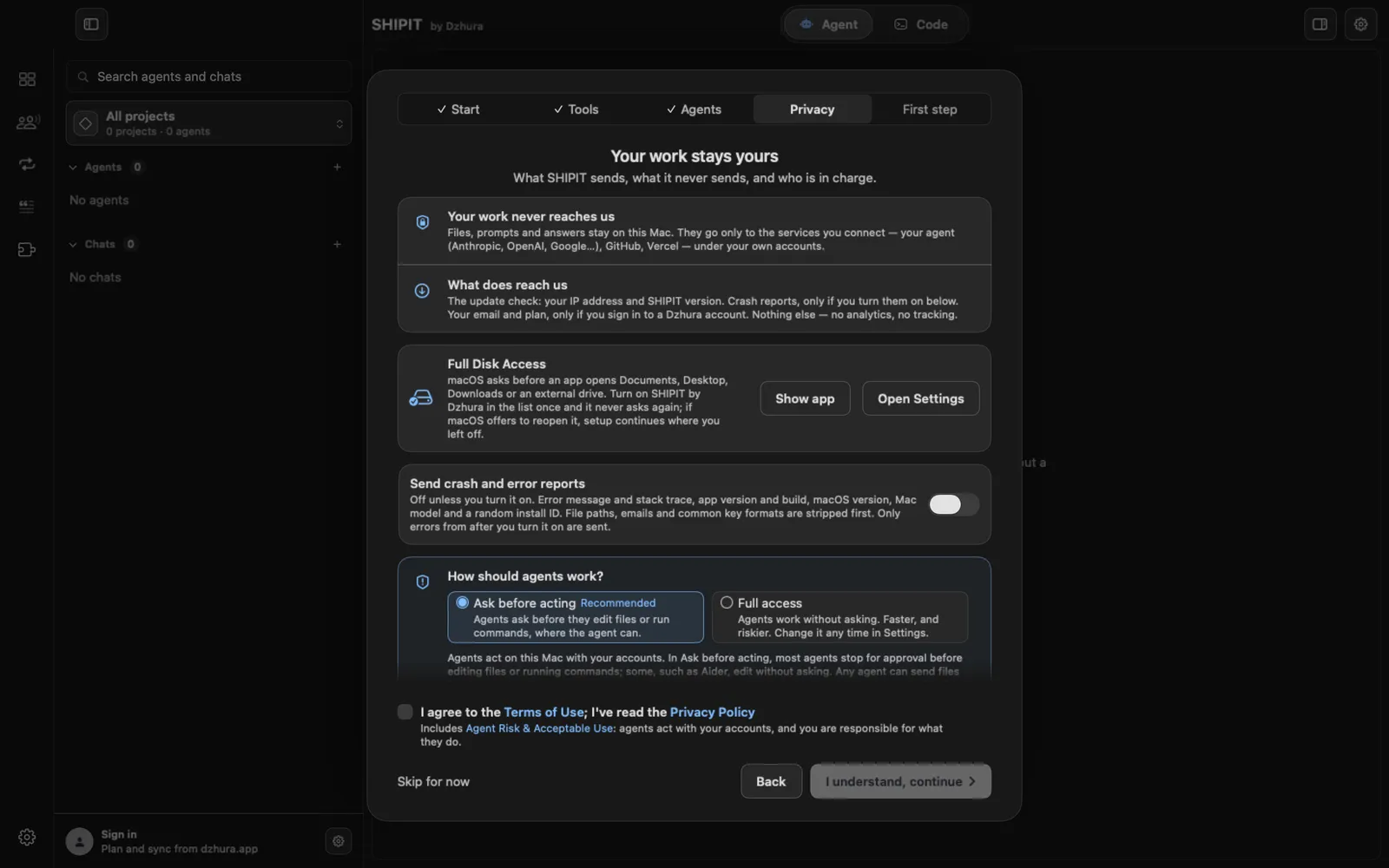
During setup SHIPIT asks How should agents work?. Ask before acting is marked Recommended. The other option is Full access.
-
02Change it later
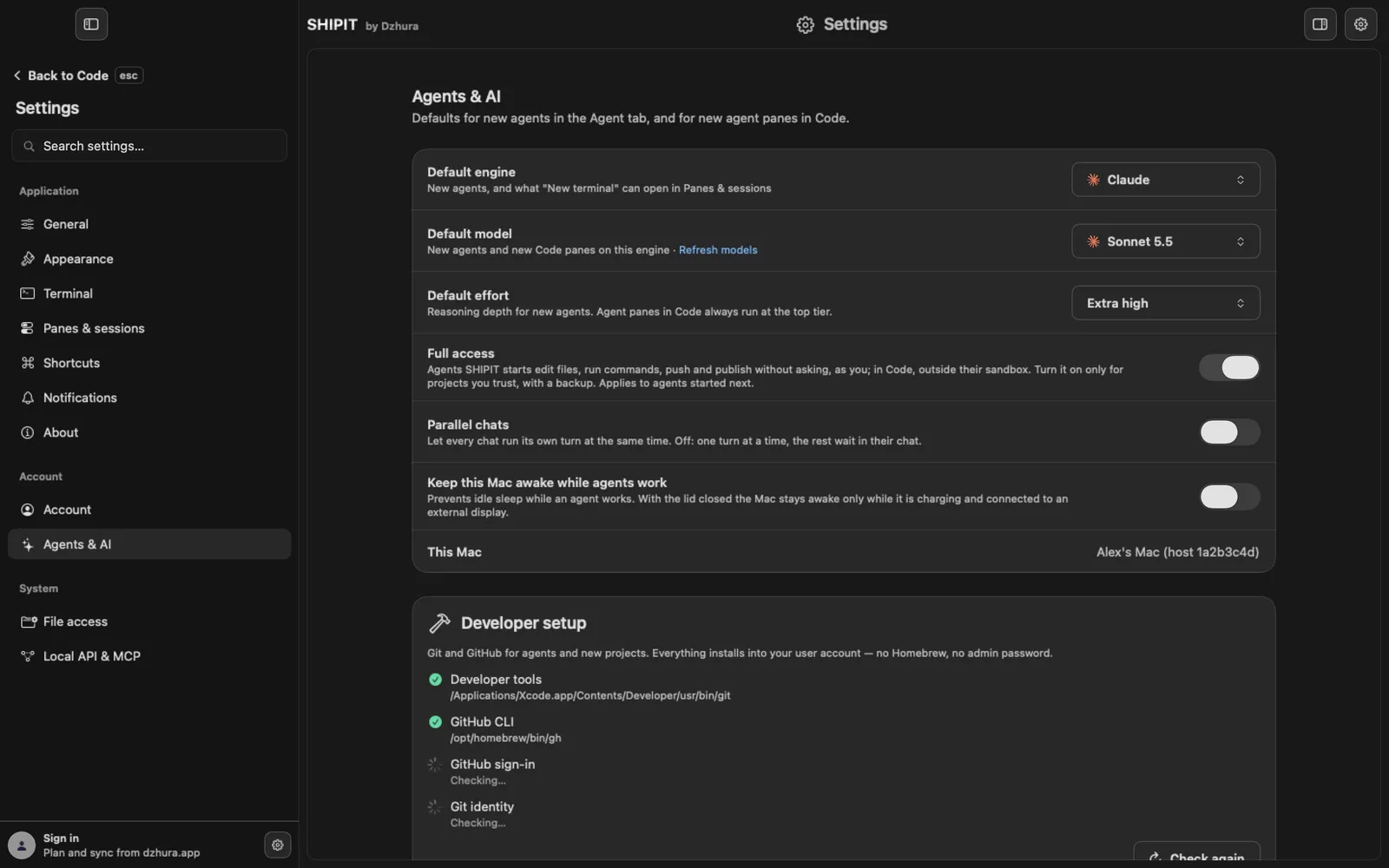
Settings, Agents & AI, the Full access switch. Before it turns on, SHIPIT asks Turn on Full access?.
It applies to agents started next. Agents already running keep their mode.
-
03Approve or reject
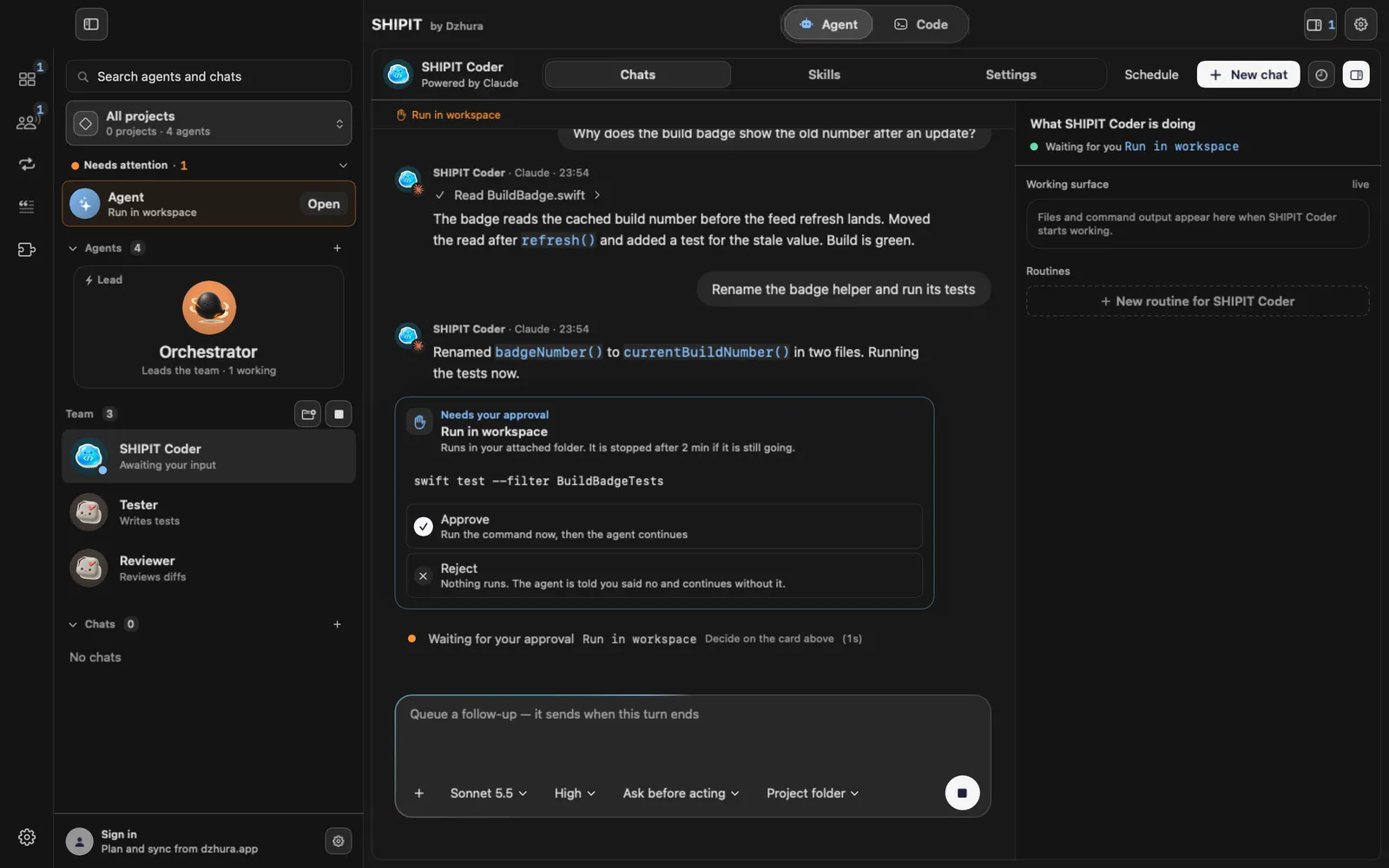
With Ask before acting, a change to files or a tool run shows Needs your approval. Details shows what will run.
Approve runs it. Reject runs nothing; the agent is told and carries on.
-
04A permission for one chat
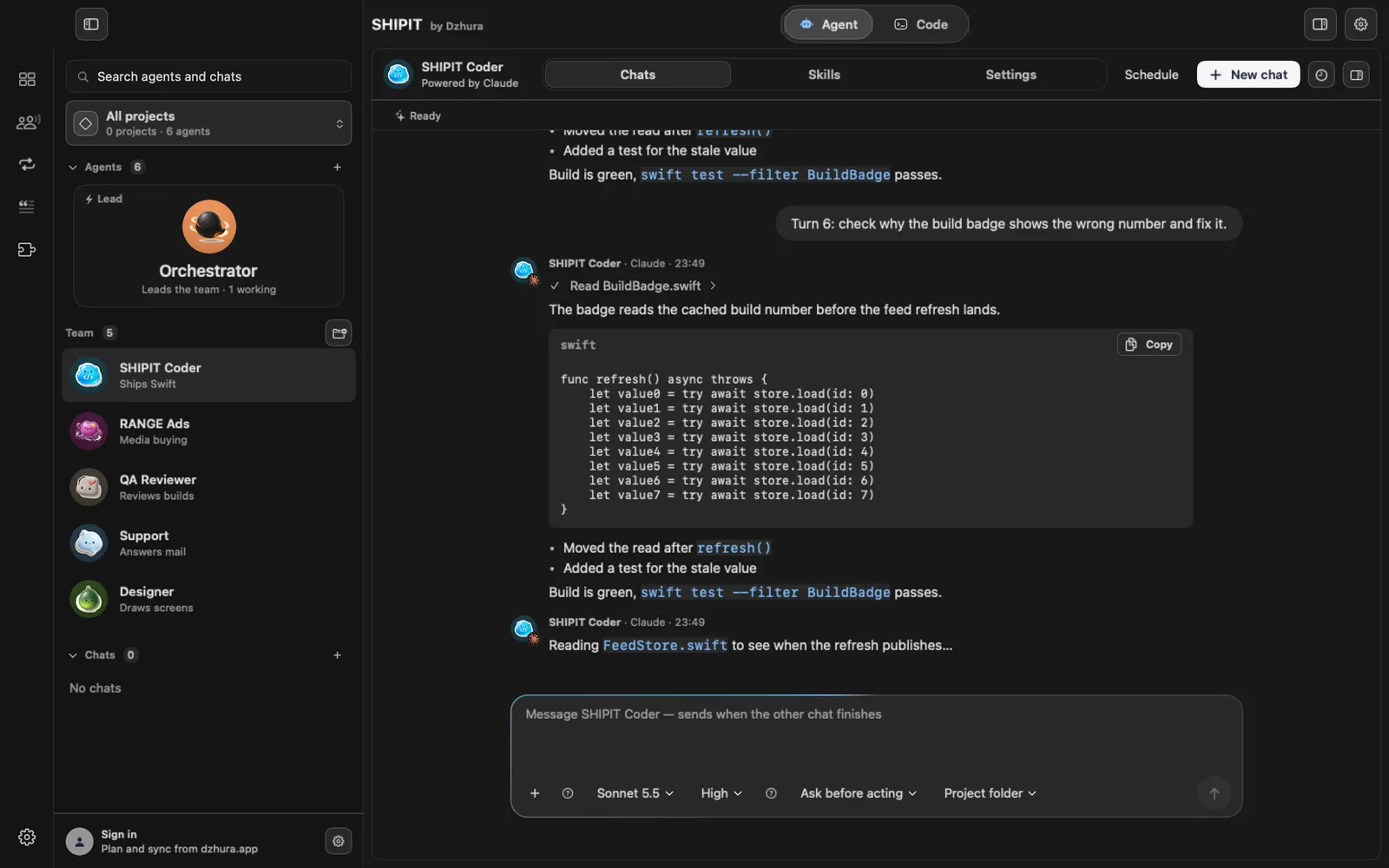
The pill in the field sets what this chat may do: Ask before acting, Read workspace, Auto-accept edits. Bypass permissions appears only with Full access.
Auto-accept edits needs a project folder. Shell commands and plugins still stop for approval.
-
05A question is not a permission
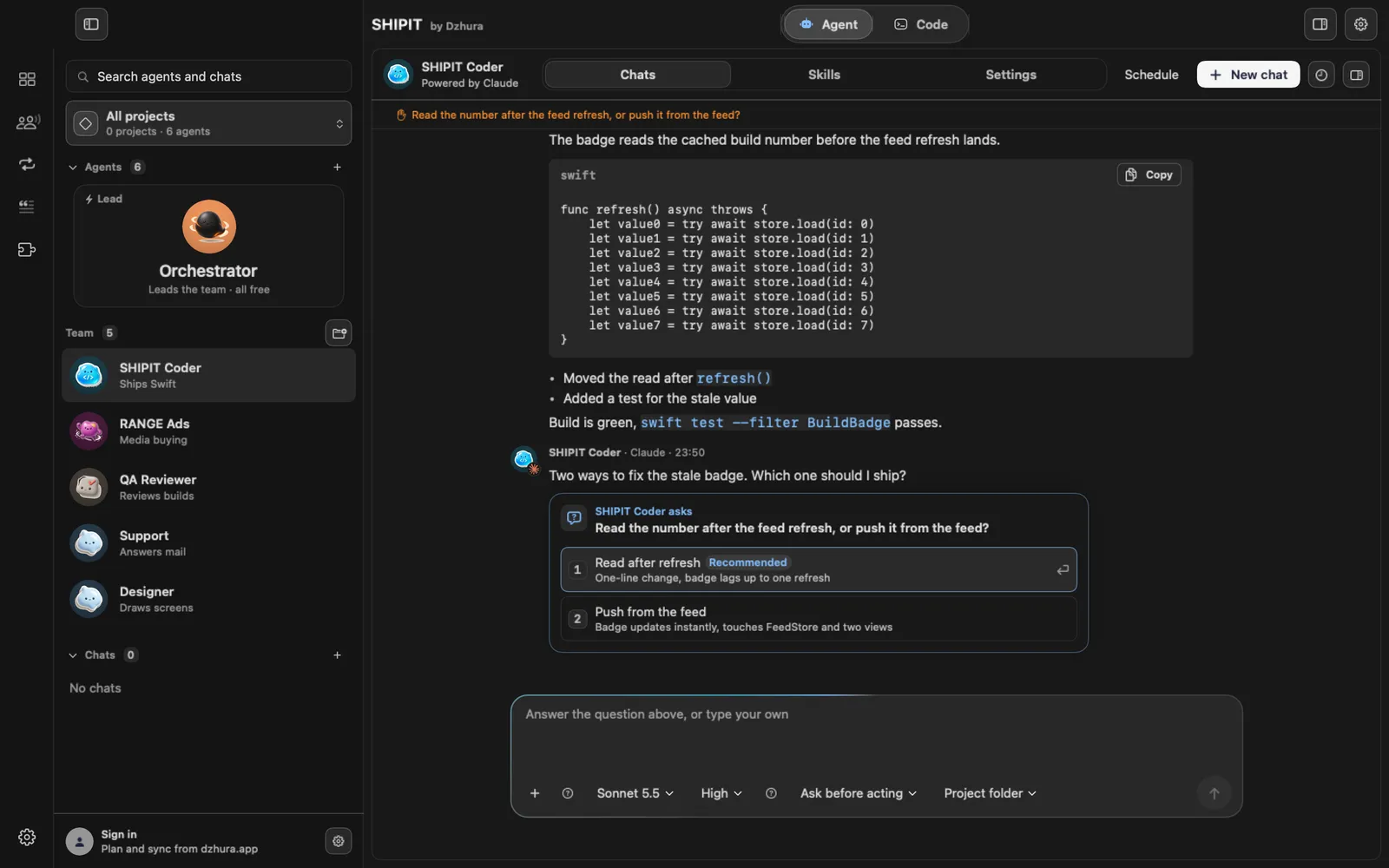
A card with numbered options is a question. Your answer only tells the agent your choice; it grants nothing in advance.
Tips
- Start with Ask before acting. Widen permissions once you trust an agent in a given folder.
- Reject is safe: nothing runs and the agent keeps working.
Questions
I turned on Full access, but an agent still asks. Why?
Agents that were already running keep their mode. A new agent or a new start picks up Full access.
Next
- Your first task for an agentYou will create an agent, give it a folder and send its first task. It takes a few minutes.
- Models and effortYou can set model and effort per chat, per teammate and as defaults. What each model is good at is explained on the Models page.
- The Agent tab at a glanceIn three minutes you will know how the Agent tab is laid out: who is on the team, where the chats are and where to type a task.