Notifications: when SHIPIT calls you
SHIPIT calls you when an agent is done, waits for your answer or something fails. Tabs you have not opened for a while stay quiet so they do not get in the way.
-
01Open the notification settings
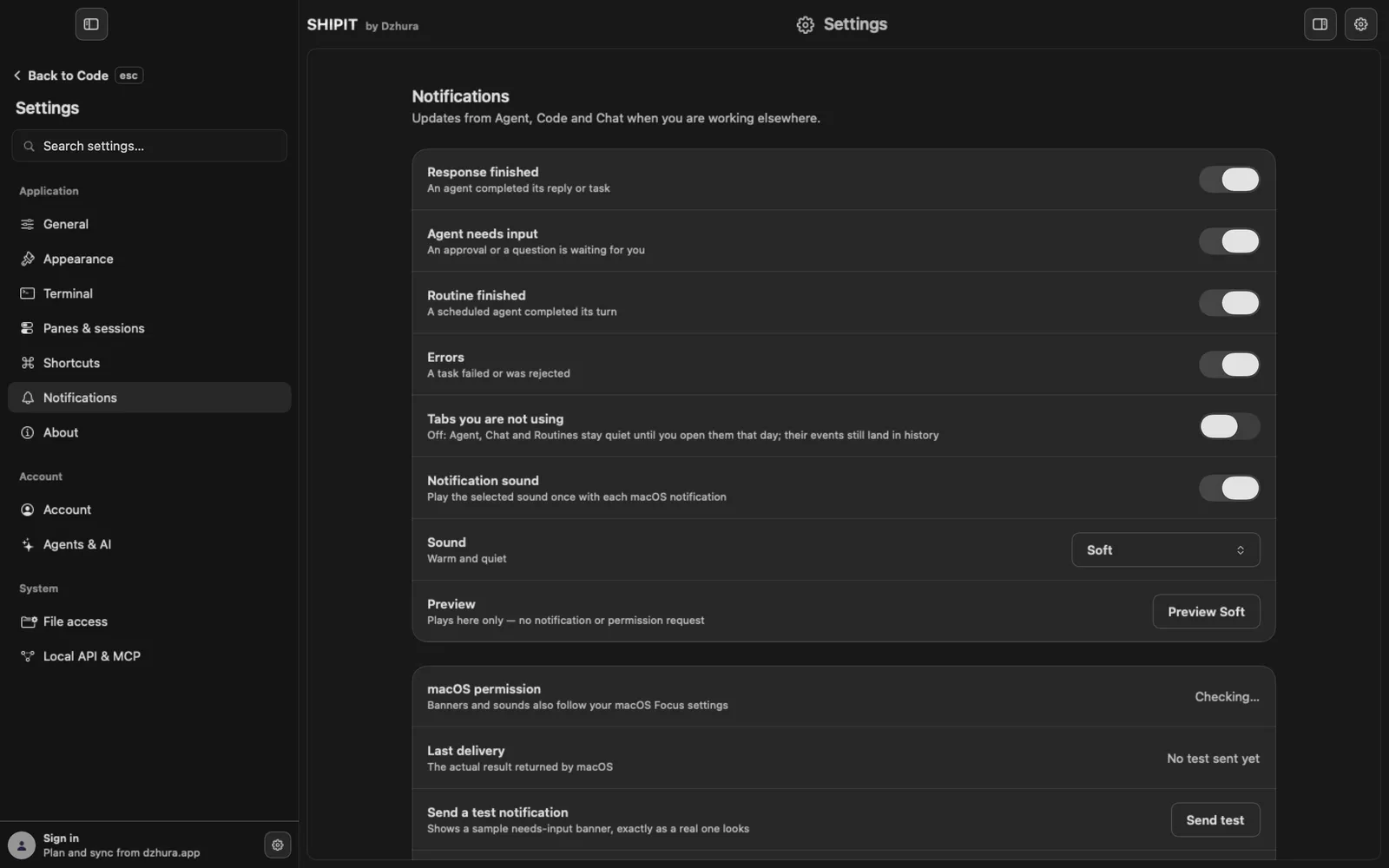
The gear at the top right opens Settings. In the sidebar pick Notifications.
-
02What SHIPIT tells you about
Four switches: Response finished, a request for your answer, Routine finished and Errors. Turn off what you do not need.
No notification comes when you are already looking at that conversation or pane, or when you stopped the answer yourself.
-
03Why some tabs stay quiet
Code always notifies. Agent, Chat and Routines stay quiet if you have not opened them in the last 24 hours. Routines count together with the Agent tab here. Their events still land in the history, just without a banner or sound.
To hear them always, turn on Tabs you are not using. The switch is off by default.
-
04Sound
Notification sound plays a sound with the banner. Pick it under Sound, and the button in the Preview row plays it here, with no notification and no permission request.
-
05Check that notifications arrive
macOS permission shows whether the system allows banners. If not, you see Allow notifications there. Banners and sounds also follow macOS Focus.
Send test shows a sample banner, exactly like a real one. Last delivery says what macOS answered.
-
06A click takes you there
A click on a notification opens the exact conversation, Code pane or routine it came from.
If that is gone, SHIPIT says so, and the notification stays in the history.
Tips
- Still nothing after the test: check Focus and System Settings › Notifications.
- Open the Agent or Chat tab at least once a day and it starts notifying again.
Questions
The agent finished, so why was there no notification?
Most often you had not opened the Agent tab in the last 24 hours. The event is in the history, and to hear it always, turn on Tabs you are not using.
Can Code stay quiet too?
No. Code always notifies, as long as that kind of notification is on.
Next
- Routines: an agent on a scheduleA routine is a message to an agent that SHIPIT sends by itself on a schedule. A code review every morning or a report every Monday, with no reminders.
- Chat: conversations, the composer and handing over to an agentChat is for thinking things through. When it is time to change something, an agent or a Code pane takes the conversation, and nothing has to be retyped.
- The Agent tab at a glanceIn three minutes you will know how the Agent tab is laid out: who is on the team, where the chats are and where to type a task.