When you quit SHIPIT: what stops and what comes back
Quitting SHIPIT stops everything it started, and your open workspaces come back on the next launch.
-
01SHIPIT asks first
⌘Q, closing the last window or a relaunch after an update: SHIPIT first asks Quit SHIPIT by Dzhura? and says what will stop: running sessions and agent turns.
The default button is Cancel, so a stray Enter keeps SHIPIT open. When panes are running, the quit button says how many will stop, for example Quit and stop 3.
-
02What stops and what is saved
Agents lose their terminals and anything they are doing right now. SHIPIT stops every agent, chat, routine and the programs in every pane. Nothing of it stays in the background.
Before it quits, SHIPIT saves drafts and writes your panes so they reopen where they were. If saving takes long, it asks: Keep Waiting, Quit Without Saving or Cancel Quit.
-
03The next launch
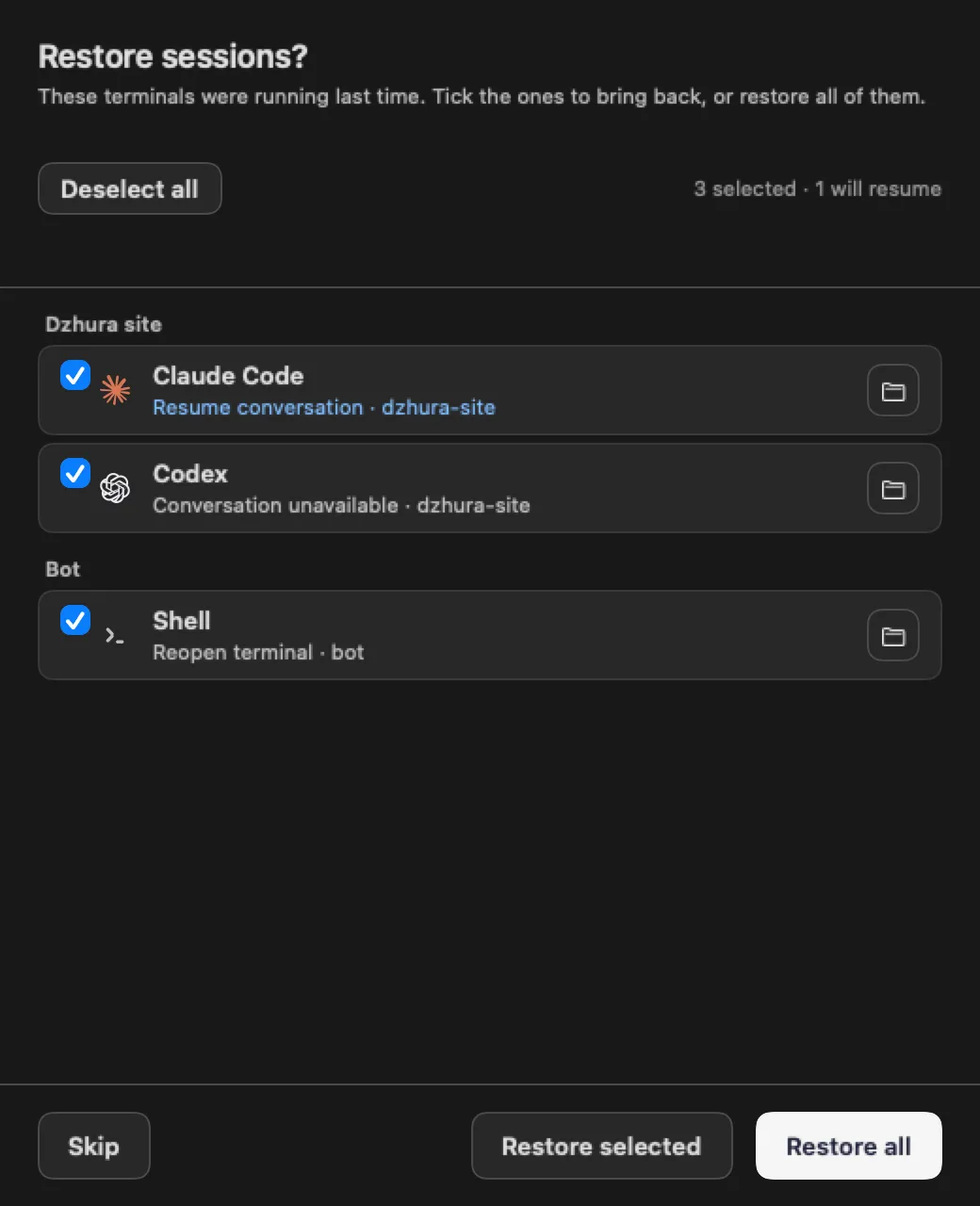
On launch SHIPIT asks Restore sessions?. Restore all, tick the ones you want and click Restore selected, or Skip.
Restore last workspace in
Settings › Panes & sessionstakes you back to the last project you had selected. -
04Free the Mac without quitting
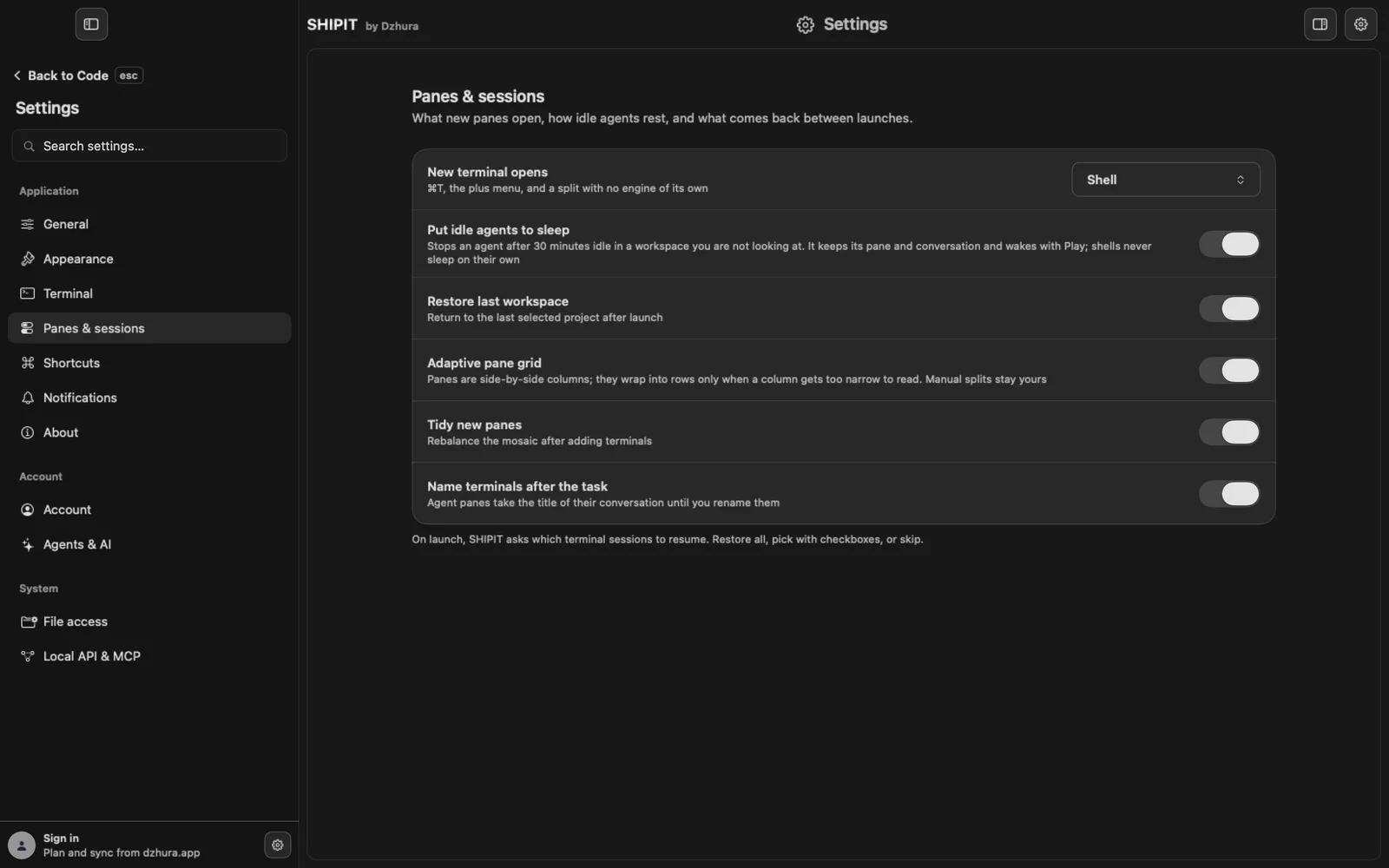
You do not have to quit SHIPIT to take load off the Mac. Sleep idle agents stops an agent that sits idle in a workspace you are not looking at. Its pane and conversation stay.
To stop every agent at once: ⌥⌘. (Stop all agents).
-
05The macOS background notice
macOS may tell you that something kept running in the background after an app quit. SHIPIT's agents and panes stop on quit, together with every program started in them. Only a program that detached itself from its terminal on purpose can outlive the quit.
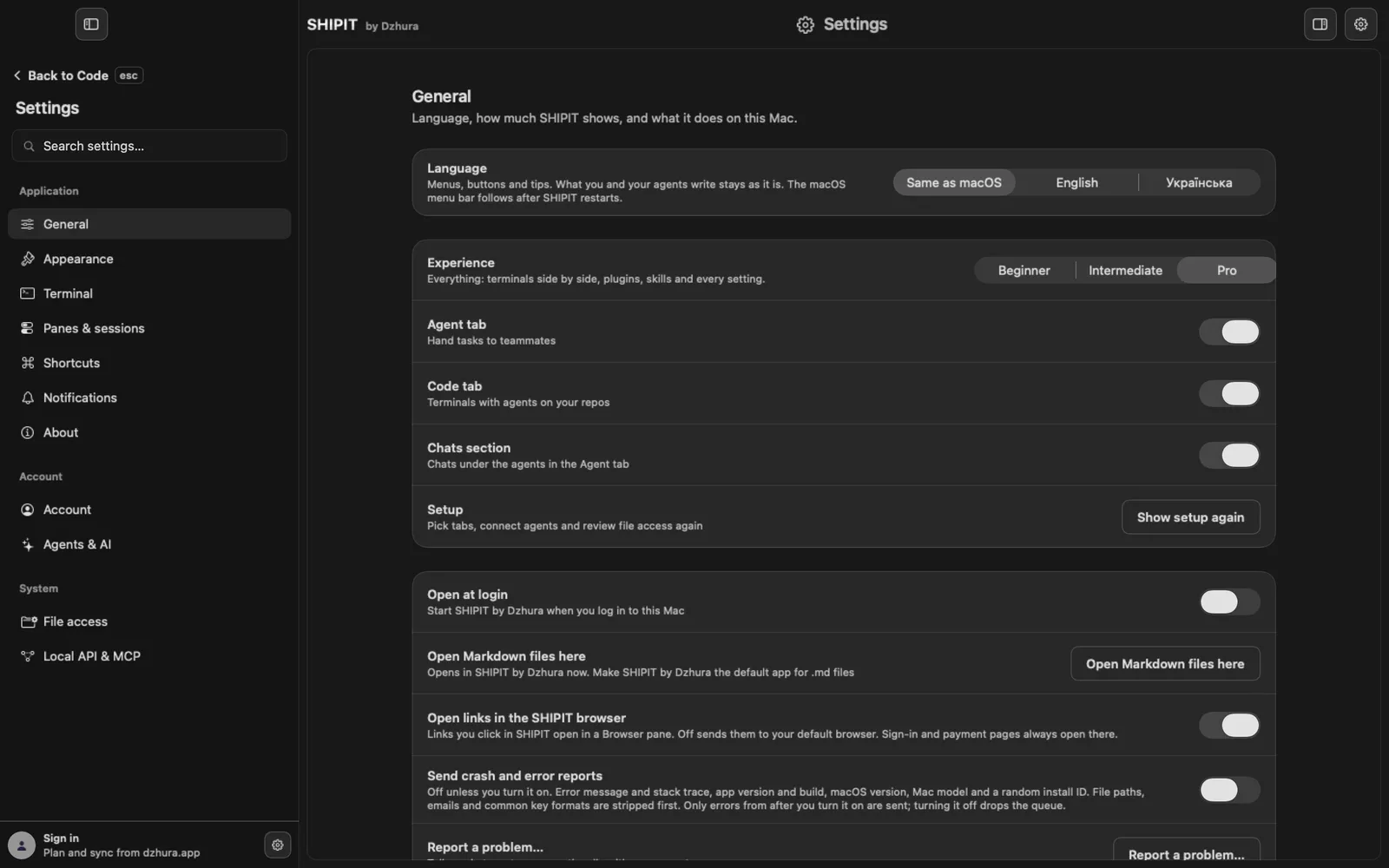
Open at login in
Settings › Generalonly starts SHIPIT when you log in to macOS. It keeps nothing running.TipIf something from SHIPIT still runs after you quit, tell us with Report a problem…
Tips
- Let agents finish before an update: the relaunch after an update asks the same question.
- Closing one of several windows does not quit SHIPIT: only the last window does.
Questions
Do agents work while SHIPIT is closed?
No. Agents work only while SHIPIT is open.
I closed the window. Did SHIPIT quit?
Yes, closing the last window quits SHIPIT. It asks first, the same as ⌘Q.
Next
- Updating SHIPITSHIPIT checks for updates by itself and installs nothing without you. A new build waits in the sidebar until you click it.
- Workspaces and projectsBy the end you have a workspace with panes for one project, and you know where to find it.
- Something is wrong: symptom and fixFind your symptom and do what it says. If that does not help, the last step shows how to tell us.